How to Add an AI Voice Agent to VICIdial (Without Replacing Your Dialer)
A step-by-step guide to putting an AI voice agent on VICIdial using a single dialplan entry, with transfers and dispositions flowing back the way VICIdial expects.
By Walter Brennan
Most "AI for call centers" products ask you to move your operation onto their platform. For a shop running VICIdial, that is a non-starter. Your dialer already places the calls, paces the campaigns, records the audio, manages agent seats and writes dispositions. Ripping that out to bolt on an AI agent means retraining everyone, remapping every list, and betting your revenue on a migration.
There is a simpler path. An AI voice agent does not need to become your phone system. It only needs to be reachable at an extension. This guide walks through adding an AI voice agent to VICIdial the way we actually do it: one dialplan entry, media streamed to the agent, and transfers, hangups and dispositions flowing back exactly the way VICIdial already expects.
What "adding AI" really means on VICIdial
When people picture an AI agent on a dialer, they imagine a huge integration. In practice the agent is just another destination for a call. VICIdial dials a lead, the lead answers, and instead of connecting a human seat, the call is bridged to a media endpoint that happens to be an AI. The AI talks, listens, and when the conversation calls for it, hands the call to a human or ends it with a disposition.
So the real work is three things:
- Get call audio to the AI and back, both directions, at low latency.
- Let the AI end the call or transfer it to a human agent or queue.
- Write the outcome back so your reports and DNC logic stay intact.
Everything else — the script, the voice, the objection handling — lives in the agent itself and needs no changes to VICIdial.
Step 1: One dialplan entry
Each campaign in Bridgeside AI gets a short dial code. On the VICIdial server, a single dialplan pattern serves every campaign you will ever run:
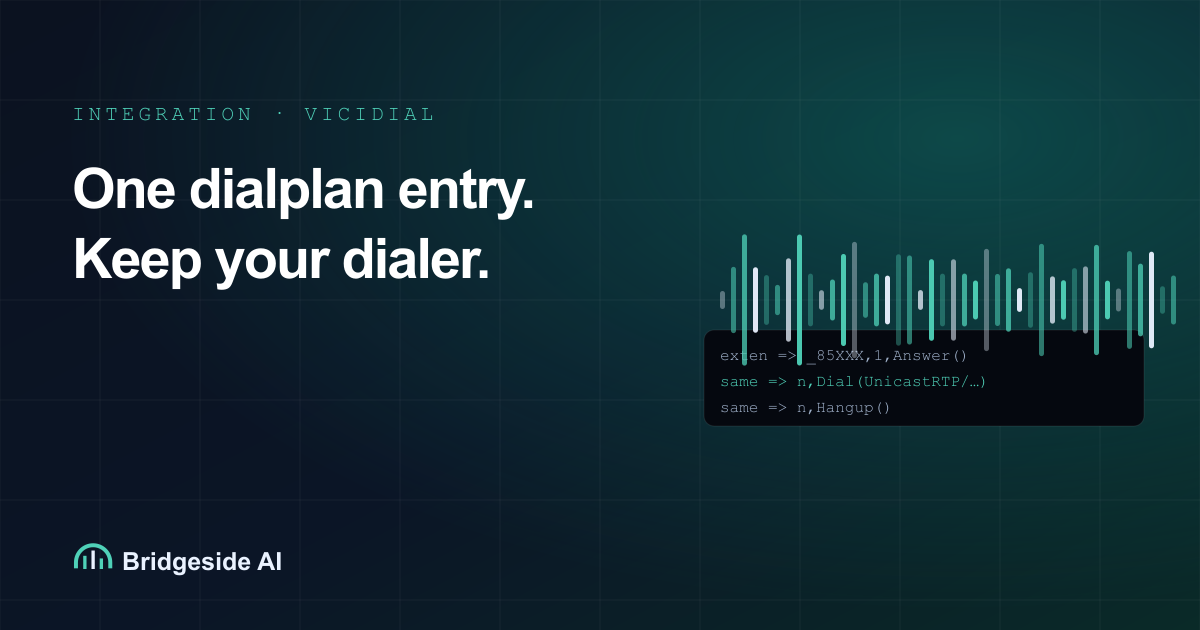
exten => _85XXX,1,Answer()
 same => n,Set(PORT=${CURL(https://app.bridgeside.ai/api/asterisk/rtp?token=SECRET&agent=${EXTEN:2})})
 same => n,Dial(UnicastRTP/app.bridgeside.ai:${PORT}/c(ulaw))
 same => n,Hangup()
Here is what each line does. Answer() picks up the channel. The CURL call asks the platform for a fresh media port for this specific call and tells it which campaign is wanted, using the last three digits of the extension. The Dial() streams audio both ways over RTP in G.711 u-law, the same codec VICIdial already uses, so there is no transcoding surprise. When the bridge ends, Hangup() cleans up.
That is the entire integration surface. You add this pattern once, reload the dialplan, and every campaign you create later just works by pointing at 85 plus its dial code.
Step 2: Route a campaign to the agent
Inside VICIdial, you already know how to send calls somewhere. To send a campaign to the AI, set the campaign's dial method as usual and route answered calls to the 85XXX extension for that campaign instead of to an agent group. Many operators do this with a simple in-group or a custom dialplan step on answer.
If you run in ratio or predictive mode, nothing about your pacing changes. The AI answers as fast as a bridge can be set up, which is faster than a human picking up, so you will not see the abandon-rate problems that come from slow human answer times.
Step 3: Transfers and hangups over AMI
The AI needs to do two things back to VICIdial: hang up when the conversation is over, and transfer a hot lead to a human. Both happen over the Asterisk Manager Interface, which your VICIdial server already runs.
When the agent decides to transfer, it issues an AMI Redirect (or originates a bridge) to move the live call to a closer, a VICIdial in-group, or a specific agent extension. Because the transfer happens on the same channel, the human picks up a call that is already connected to the lead. You can pass a short context summary to the human so they are not starting cold. When the agent decides to end the call, it hangs up the channel, and your normal cleanup runs.
The important part: from VICIdial's point of view, these are ordinary channel operations. You are not teaching it anything new.
Step 4: Write the disposition back
A call the AI handled should look like any other call in your reports. When the call ends, Bridgeside AI posts the outcome to VICIdial's non-agent API, setting the disposition (sale, callback, not interested, DNC, no answer) on the lead. That keeps your funnel math correct and, crucially, keeps do-not-call requests honored. If the AI hears "take me off your list," that becomes a DNC disposition the same way it would from a human agent.
Latency, recording and concurrency
Three practical questions always come up.
Latency. Because audio is streamed as u-law RTP directly between your Asterisk and the platform, round-trip latency is dominated by network distance, not by codec conversion. Put the agent near your dialer's region and conversational turn-taking feels natural.
Recording. You do not need a new recording system. VICIdial's existing recording captures the full call, AI portion included, because the AI is just the far end of a normal bridge. Bridgeside AI also keeps its own transcript per call if you want searchable text.
Concurrency. One dialplan entry scales to as many simultaneous calls as your licensing and bandwidth allow. Each call gets its own media port from that CURL lookup, so there is no shared bottleneck to tune.
Why this approach wins
The alternative — moving to a hosted "AI dialer" — means giving up the tuning, the skins, the list management and the operational muscle memory your team has built on VICIdial. The one-dialplan-entry approach keeps all of that. You are adding a capability, not replacing a platform.
It also means you can start small. Point one low-stakes campaign at the agent, listen to a day of calls and transcripts, tune the script, and only then scale. If you ever want to turn the AI off, you remove one route. There is no lock-in because there was no rip-and-replace.
What you need before you start
- A VICIdial server you control, with AMI enabled and reachable from the platform.
- Outbound network access from your Asterisk to the platform on the RTP port range.
- A campaign to pilot, ideally one with a clear, repeatable script.
- Your DNC and consent process documented, so the AI honors the same rules your humans do.
That is genuinely the whole list. The AI voice agent becomes one more extension your dialer can reach, and everything that made VICIdial worth running stays exactly where it is.
If you run VICIdial and want to hear the agent on one of your own campaigns, get in touch and we will set up a pilot on a single dial code.