How to Add AI Voice Agents to Asterisk and FreePBX
Two clean ways to put an AI voice agent on Asterisk or FreePBX — a dialplan bridge or AudioSocket — with transfers and hangups handled through AMI.
By Walter Brennan
Asterisk is the quiet workhorse behind an enormous share of the world's call centers, whether directly or through FreePBX and Issabel. If you already run it, you do not need a new phone system to add an AI voice agent. You need a way to get call audio to the agent and back, and a way for the agent to transfer or hang up. Asterisk gives you both, cleanly, without changing how the rest of your system works.
This guide covers the two integration styles that work best on Asterisk and FreePBX, when to choose each, and how transfers, recording and dispositions fit in.
First principle: the agent is a destination
As with any good AI integration, the agent is not a platform you migrate to. It is a destination your dialplan can reach. A call comes in or goes out as it always has, and at the point where you would connect a person, you connect the AI instead. Everything upstream — your trunks, your inbound routes, your queues, your CDRs — stays where it is.
That framing keeps the integration small and reversible. You are adding an extension, not rebuilding your PBX.
Option 1: The dialplan bridge (simplest)
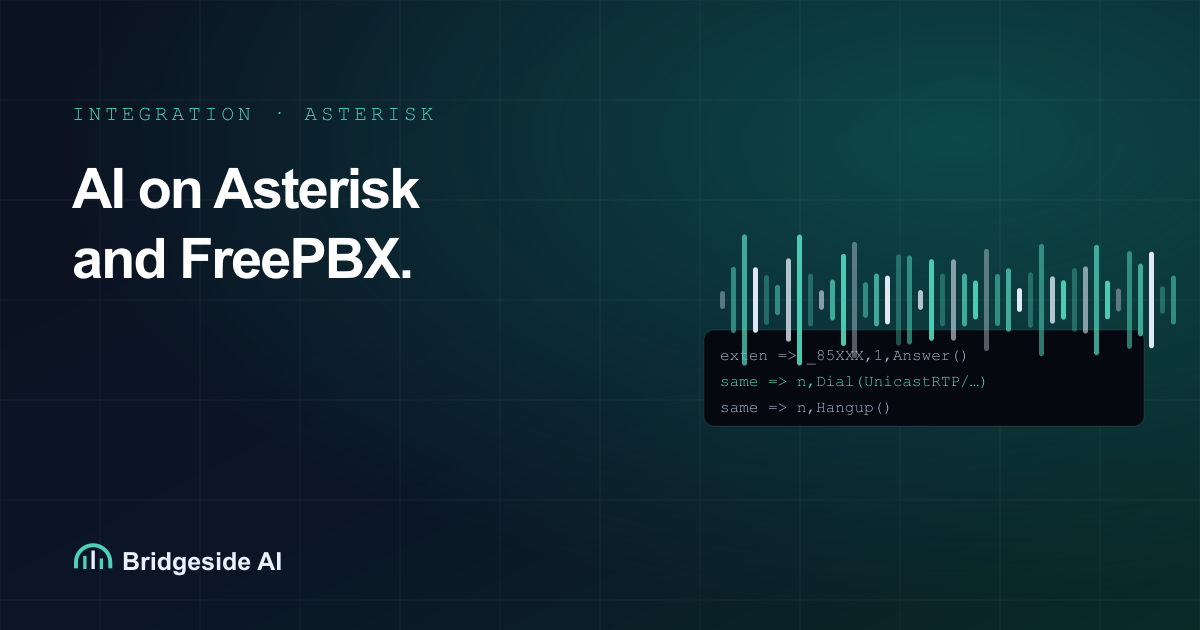
The most portable approach streams RTP audio directly, in the G.711 codec Asterisk already uses, with a single dialplan pattern. Each agent configuration on the platform has a short dial code, and one pattern serves them all:
exten => _85XXX,1,Answer()
 same => n,Set(PORT=${CURL(https://app.bridgeside.ai/api/asterisk/rtp?token=SECRET&agent=${EXTEN:2})})
 same => n,Dial(UnicastRTP/app.bridgeside.ai:${PORT}/c(ulaw))
 same => n,Hangup()
The CURL step asks the platform for a media port dedicated to this call and tells it which agent to use. The Dial bridges audio both ways. Because there is no transcoding — u-law in, u-law out — latency stays low and voice quality stays clean.
On FreePBX, you can add this with a Custom Extension or a Custom Destination that jumps to this context, so you never have to fight the GUI. Point an inbound route or a queue's failover at the custom destination and calls flow to the agent.
Choose the dialplan bridge when you want the least moving parts, you are on a recent Asterisk, and you want the same pattern to work across VICIdial, plain Asterisk and FreePBX.
Option 2: AudioSocket (developer-friendly streaming)
Asterisk's AudioSocket gives you a straightforward TCP stream of call audio, which some teams prefer for tighter control or for environments where UnicastRTP is inconvenient. The dialplan hands the call to AudioSocket with a UUID, and the platform receives a clean audio stream it can process frame by frame:
exten => _85XXX,1,Answer()
 same => n,AudioSocket(${UUID},app.bridgeside.ai:9092)
 same => n,Hangup()
The trade-off is that AudioSocket carries audio only, so control actions like transfer and hangup still ride over AMI (covered below). Many teams like this separation: media on one channel, control on another.
Choose AudioSocket when you want explicit, frame-level control of the media stream, or when your network setup makes a direct RTP dial awkward.
Transfers and hangups over AMI
Whichever media path you pick, the agent controls the call over the Asterisk Manager Interface, which your system already runs for other tooling.
- Warm transfer to a human. When the agent qualifies a lead, it issues an AMI redirect or originate to move the live channel to an agent extension or a queue. The lead's channel is already up, so the human joins a call in progress. Pass a short summary and your closer starts warm.
- Hangup. When the conversation is done, the agent hangs up the channel over AMI, and your normal post-call handling runs.
Because these are ordinary channel operations, nothing about your queues, CDR or recording needs to change to support them.
Recording stays where it is
You do not need a second recording system. The AI is the far end of a standard bridge or a monitored channel, so MixMonitor or your FreePBX call-recording settings capture the full conversation exactly as they would for a human call. Your QA team reviews AI calls in the same place, with the same tools.
If you want searchable text, the platform also stores a per-call transcript, so you can grep across thousands of calls for a phrase or a compliance disclosure.
Dispositions and CRM
For outbound campaigns, the outcome of each call should land somewhere useful. The platform can write dispositions back to your dialer's API (for VICIdial-style setups) or post structured results to a webhook or CRM for plain Asterisk and FreePBX. A "disposition" here is just the structured summary of the call: outcome, key fields captured, and whether the lead asked to be removed.
That last point is not optional. If a lead says "do not call me again," that must become a suppression in whatever list system you use, immediately. Wire the agent's DNC signal to your suppression process before you scale.
FreePBX-specific notes
FreePBX adds a friendly layer on top of Asterisk, and a few habits make the integration painless:
- Put the dialplan pattern in
extensions_custom.confso upgrades and GUI reloads do not clobber it. - Use a Custom Destination to expose the agent context to inbound routes, queues and IVR steps.
- If you use FreePBX's recording, leave it on; it captures the AI call without extra work.
- Keep AMI credentials in FreePBX's manager settings scoped to the actions the platform needs.
Concurrency and capacity
Both integration styles scale per call. Each conversation gets its own media port or socket, so simultaneous capacity is bounded by your bandwidth, your trunk capacity and your platform plan, not by a shared bottleneck in the integration itself. Size your RTP port range and your outbound bandwidth for peak concurrent AI calls and you are set.
A short rollout checklist
- Decide media path: dialplan bridge for simplicity, AudioSocket for control.
- Add the pattern to
extensions_custom.confand reload. - Expose it via a Custom Destination (FreePBX) or route directly (plain Asterisk).
- Enable scoped AMI access from the platform.
- Confirm recording captures a test call end to end.
- Wire dispositions and, critically, DNC suppression.
- Pilot one campaign or one inbound route, then expand.
The whole point is that Asterisk and FreePBX are already good at everything except being an AI. Add the one thing they are missing, at one point in the call path, and leave the rest of your battle-tested setup alone.
Want to try it on your own Asterisk or FreePBX box? Get in touch and we will help you stand up a pilot.